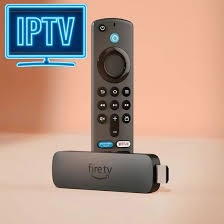
firestick iptv
Streaming movies should feel smooth and effortless, not like a constant test of patience. Yet many users struggle with buffering, lag, and sudden pauses—especially when streaming high-definition content. If you use firestick iptv, the good news is that buffering is not something you must live with. With the right setup, smart settings, and proven optimization techniques, you can enjoy movies without interruptions.
This in-depth guide explains why buffering happens, how your Firestick works behind the scenes, and the exact steps you can follow to stream movies flawlessly. Whether you’re watching late-night films or weekend blockbusters, this article will help you turn your device into a smooth, reliable streaming machine.
Understanding How Firestick Streaming Works
To stop buffering, you first need to understand how movie streaming actually functions on a Firestick. When you stream a movie, data is sent in small chunks from a server to your device. Your Firestick stores a few seconds of that data in a temporary memory space called a buffer. If the data arrives faster than it’s being played, everything feels smooth. If it arrives slowly, playback pauses.
The Firestick itself—such as the Amazon Fire TV Stick—is capable of handling high-quality streams. Buffering usually comes from network limitations, overloaded apps, or poor configuration rather than the device itself.
Common Reasons Movies Buffer on Firestick
Buffering doesn’t happen randomly. There are clear, fixable reasons behind it.
Slow or Unstable Internet Connection
Even if your internet plan looks fast on paper, real-world performance matters. Network congestion, Wi-Fi interference, or distance from the router can slow data delivery.
Overloaded Cache and Background Apps
Over time, streaming apps store temporary data. When that cache grows too large, it can slow down performance and cause pauses during playback.
Streaming Quality Set Too High
Ultra-HD streaming demands more bandwidth. If your connection can’t keep up consistently, buffering becomes inevitable.
VPN or Network Routing Issues
Some users rely on VPNs for privacy. Poorly optimized servers or distant locations can slow streaming speeds.
Why firestick iptv Users Often Experience Buffering
Many movie lovers choose firestick iptv because it offers access to a wide range of content in one place. However, IPTV relies heavily on stable, real-time data delivery. Unlike downloaded content, IPTV streams live or on-demand media continuously. Any small disruption—Wi-Fi drops, background downloads, or server delays—can lead to buffering.
The key advantage is that IPTV performance can be dramatically improved with the right setup.
How to Set Up Your Firestick for Buffer-Free Movies
Optimize Your Internet Connection
Start with your network. A wired Ethernet adapter is ideal, but if you rely on Wi-Fi, place your router close to your Firestick. Use the 5 GHz band if available, as it offers faster speeds and less interference.
Adjust Streaming Resolution
Set your movie streaming resolution to match your internet speed. Full HD often looks excellent while requiring far less bandwidth than 4K.
Restart Devices Regularly
A simple restart clears temporary glitches. Restart your Firestick and router at least once a week to maintain stable performance.
App-Level Tweaks That Make a Big Difference
Clear Cache Periodically
Go into your Firestick settings, open the application manager, and clear cache for streaming apps. This frees memory and improves responsiveness.
Limit Background Processes
Close apps you’re not using. Background processes consume memory and bandwidth, increasing the risk of buffering.
Update Your Apps and System
Updates often include performance improvements and bug fixes. Keeping everything current ensures smoother playback.
Advanced Tips for firestick iptv Movie Streaming
If you want next-level smoothness with firestick iptv, these advanced steps help significantly.
Choose the Right Server Location
Select a server closer to your geographic location. Shorter data routes mean faster delivery and fewer interruptions.
Use Quality Hardware Accessories
High-quality HDMI cables and power adapters ensure stable device performance. Cheap accessories can cause overheating or throttling.
Monitor Peak Internet Usage
Streaming during peak hours can slow speeds. If possible, watch movies during off-peak times for the smoothest experience.
Best Practices for Long Movie Sessions
Watching a two-hour movie requires sustained performance. Follow these habits to avoid mid-movie buffering:
- Start with a fresh device restart
- Close all unused apps
- Confirm stable Wi-Fi signal strength
- Avoid simultaneous heavy internet use
These simple steps ensure uninterrupted playback from start to finish.
Is firestick iptv Suitable for HD and 4K Movies?
Yes, firestick iptv can handle HD and even 4K movies when paired with a reliable internet connection. The Firestick hardware supports modern codecs and resolutions. The deciding factor is consistency—stable bandwidth matters more than raw speed numbers.
Conclusion
Buffer-free movie streaming isn’t about luck—it’s about smart setup and maintenance. With the right network configuration, app management, and viewing habits, firestick iptv can deliver smooth, cinema-like movie experiences at home. Focus on stability, keep your system optimized, and enjoy movies without interruptions.
FAQs
1. Why does my movie buffer even with fast internet?
Speed tests measure short bursts, not long-term stability. Network congestion or Wi-Fi interference can still cause buffering.
2. How often should I clear cache on my Firestick?
Clearing cache every one to two weeks keeps apps responsive and reduces playback issues.
3. Can a VPN cause buffering?
Yes. Poor server selection or long routing paths can slow streaming significantly.
4. Is wired internet better than Wi-Fi for movies?
A wired connection offers the most stability and is ideal for long, high-quality movie sessions.
5. Does restarting the Firestick really help?
Absolutely. Restarting clears temporary memory issues and refreshes network connections.
For more information: Fire IPTV Hub