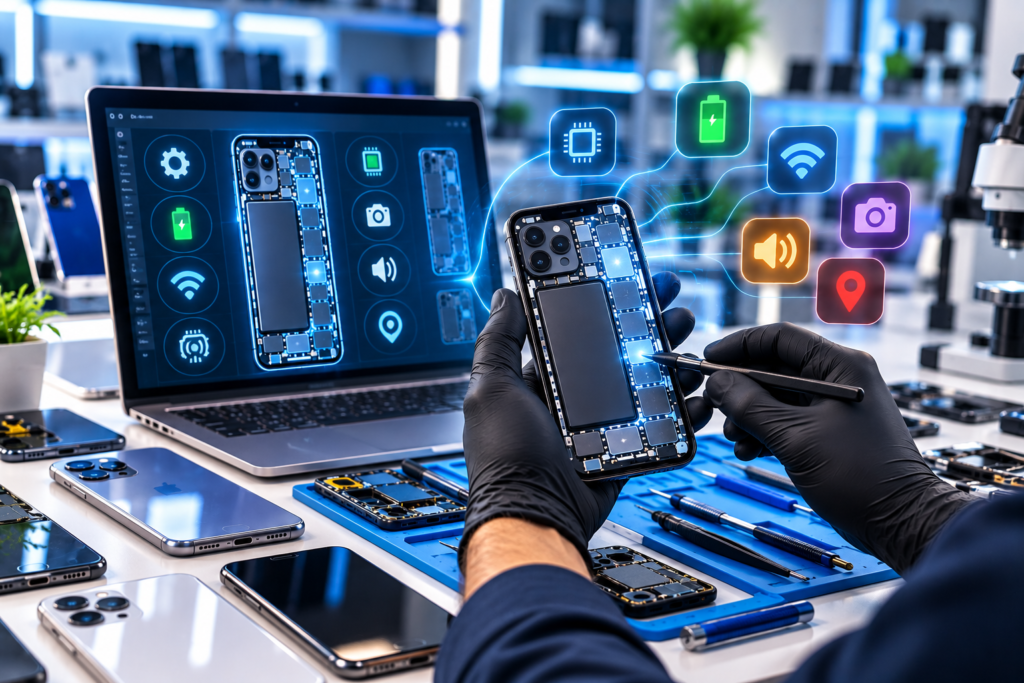
Smartphones are now an essential part of everyday communication, business, entertainment, and productivity. As mobile technology becomes more advanced, smartphones also include increasingly complex hardware and software components. Displays, cameras, microphones, speakers, sensors, connectivity systems, biometric features, and other components all need to work together for a device to function correctly.
When a smartphone develops a problem, finding the exact cause can take time. A visible symptom may not always reveal the underlying issue, making manual troubleshooting challenging for technicians. This is where phone diagnostic software can provide a more structured approach to device analysis.
By using diagnostic technology, repair technicians and mobile device businesses can evaluate important smartphone functions through an organized testing process. Phone Clinix helps simplify mobile device diagnostics, allowing professionals to analyze device functionality and identify areas that may require further attention.
Why Fast Device Analysis Is Important
Time plays an important role in professional smartphone repair and refurbishment. Repair shops often process multiple devices each day, and customers generally expect quick assessments and efficient service.
When technicians spend too much time manually testing individual components, the overall repair process can become slower. This can be particularly challenging for busy repair centers or businesses processing large numbers of smartphones.
Phone diagnostic software helps create a structured testing workflow. Rather than checking components without a clear process, technicians can systematically evaluate relevant device functions.
Fast analysis does not mean skipping important checks. Instead, it means organizing the testing process so technicians can gather useful information without unnecessary steps.
Understanding Phone Diagnostic Software
Phone diagnostic software is designed to help evaluate different functions of a smartphone. It provides technicians with tools to test important components and better understand the overall condition of a device.
Modern smartphones contain numerous systems that can develop problems independently. A phone may have a perfectly functioning display while experiencing an issue with its microphone. Another device may appear normal but have a faulty sensor or connectivity problem.
Diagnostic technology allows professionals to evaluate these functions through a more consistent process.
Phone Clinix provides an organized approach to mobile diagnostics that can support technicians during initial device assessments, troubleshooting, repair verification, and quality-control testing.
Identifying Device Problems More Efficiently
Customers do not always know what is causing a smartphone problem. They usually describe the symptom they are experiencing.
For example, a customer might say that the phone has no sound, the touchscreen occasionally stops responding, the camera is not functioning properly, or Bluetooth connections keep failing.
These symptoms provide useful information, but they may not identify the exact cause.
Using phone diagnostic software, technicians can perform relevant tests and use the results to narrow down areas that require further investigation.
This helps reduce unnecessary guesswork and gives technicians additional information to use alongside their professional knowledge and repair experience.
Testing Important Smartphone Functions
Modern smartphones contain many components that need to function correctly. A comprehensive diagnostic process may involve checking multiple areas of the device.
Depending on the smartphone and available diagnostic capabilities, technicians may evaluate:
- Display functionality
- Touchscreen responsiveness
- Front and rear cameras
- Speakers
- Microphones
- Wi-Fi connectivity
- Bluetooth
- NFC
- Physical buttons
- Vibration
- Gyroscope
- Sensors
- Biometric features
Each of these functions contributes to the overall user experience.
Phone Clinix can help technicians organize smartphone testing so different components can be evaluated through a structured diagnostic workflow.
Faster Pre-Repair Assessments
Device analysis should ideally begin before repair work starts.
A customer may bring in a phone for an obvious issue, such as a cracked display. However, physical damage can sometimes affect other components that are not immediately visible.
If a technician only replaces the display without evaluating other important functions, an existing microphone, camera, sensor, or connectivity issue could remain unnoticed.
Pre-repair diagnostics help establish the condition of the device before work begins.
By using phone diagnostic software, technicians can check relevant functions and gain a clearer understanding of the smartphone’s condition. This information can then support decisions about the repair process.
Supporting Better Troubleshooting Decisions
Professional smartphone repair requires technical knowledge and experience. Diagnostic technology is most useful when it complements these skills rather than attempting to replace them.
Technicians often encounter symptoms that could have several possible causes.
For example, an audio problem might involve a speaker, microphone, software setting, or another related function. Replacing a component without properly investigating the issue could waste time and resources.
Phone diagnostic software gives technicians structured information that can help guide troubleshooting.
Instead of making decisions based entirely on assumptions, technicians can perform relevant tests and use diagnostic results as part of their investigation.
This can make the repair process more focused and efficient.
Improving Post-Repair Testing
Fast device analysis is also useful after a repair has been completed.
Replacing a damaged component is only one part of professional smartphone repair. Technicians should also confirm that the repaired feature works correctly and that other important functions remain operational.
For example, after replacing a smartphone display, a technician may need to test touchscreen responsiveness, cameras, microphones, speakers, buttons, sensors, and connectivity.
Post-repair diagnostics provide a structured way to perform these checks.
With Phone Clinix, technicians can incorporate diagnostic testing into the final stage of their repair workflow, helping them maintain consistent quality-control procedures.
Creating Consistent Repair Workflows
Different technicians may approach smartphone troubleshooting differently. One technician may perform several checks before beginning a repair, while another may focus mainly on the customer’s reported problem.
This can create inconsistent results across a repair team.
Using phone diagnostic software can help businesses establish repeatable testing procedures.
A structured workflow might include receiving the device, recording the customer’s complaint, performing an initial inspection, running diagnostic tests, completing the repair, conducting post-repair diagnostics, and documenting the final condition.
When technicians follow similar procedures, repair businesses can create clearer quality standards.
This becomes especially valuable as a repair operation grows.
Benefits for Refurbishment Businesses
Repair shops are not the only businesses that require fast and accurate device analysis.
Refurbishers, wholesalers, retailers, trade-in businesses, and resellers may process large numbers of pre-owned smartphones. Before these devices can be prepared for resale, their functionality should be evaluated.
Physical appearance alone cannot confirm that a smartphone is fully functional.
A used device may look almost new but still have a microphone, camera, Bluetooth, NFC, sensor, or touchscreen issue.
Using phone diagnostic software gives businesses a structured way to evaluate important functions before devices move through the refurbishment or resale process.
Phone Clinix can help businesses establish a more consistent approach to smartphone testing across multiple devices.
Supporting High-Volume Device Analysis
Efficiency becomes increasingly important when a business processes many smartphones.
Testing several devices manually may be manageable for a small operation. However, as device volume increases, inconsistent or time-consuming testing procedures can create delays.
Professional diagnostic technology can help standardize the process.
Instead of relying on different testing methods for each device, businesses can establish a repeatable diagnostic workflow.
This can be useful for repair centers, refurbishment companies, retailers, wholesalers, and other organizations that regularly evaluate mobile devices.
A consistent approach can also simplify employee training because technicians can follow established testing procedures.
Manual and Automated Testing
Smartphone diagnostics can involve both manual and automated testing.
Certain device functions may be analyzed automatically, while others require direct interaction from a technician. A touchscreen test, for example, may require the user to interact with different areas of the display.
A comprehensive testing process should be able to accommodate different types of checks.
Phone diagnostic software can help technicians organize manual and automated tests within a broader diagnostic workflow.
This allows professionals to evaluate different areas of a smartphone without depending entirely on one testing method.
Better Documentation and Quality Control
Professional device analysis is not only about identifying problems quickly. Keeping organized records can also be valuable for repair and refurbishment businesses.
When multiple devices are processed every day, technicians need a consistent way to understand what has been tested and what issues have been identified.
Diagnostic information can support internal documentation and quality-control procedures.
Phone Clinix helps businesses take a more organized approach to smartphone diagnostics, making testing a structured part of the device-processing workflow.
Clear diagnostic information can also make collaboration easier when more than one technician works on the same device.
Improving the Customer Experience
Customers value both speed and reliability when visiting a smartphone repair shop.
A fast repair is useful, but customers also want confidence that their device has been properly evaluated.
Structured diagnostics can support a better service experience by helping technicians communicate device problems more clearly.
Instead of relying only on assumptions, technicians can explain that relevant smartphone functions were checked during the diagnostic process.
Post-repair testing can also provide additional reassurance that important functions were evaluated before the device was returned.
By combining efficient service with organized testing, repair businesses can create a more professional customer experience.
Reducing Unnecessary Component Replacement
One potential problem with unstructured troubleshooting is replacing a component before confirming whether it is actually responsible for the issue.
Similar symptoms can sometimes come from different sources.
Diagnostic testing can help technicians investigate relevant functions before making repair decisions.
Using phone diagnostic software does not automatically determine every repair that should be performed. Instead, it provides useful information that technicians can combine with physical inspection, technical knowledge, and professional judgment.
This more systematic approach can help businesses use repair time and replacement components more efficiently.
Choosing the Right Diagnostic Solution
Businesses should consider their specific requirements when choosing diagnostic technology.
Important factors may include ease of use, device compatibility, available tests, testing speed, reporting options, manual and automated diagnostic capabilities, and suitability for the company’s existing workflow.
For high-volume operations, scalability and consistency may also be important considerations.
The ideal phone diagnostic software should make smartphone testing more organized without adding unnecessary complexity.
Technicians should be able to incorporate diagnostics into their existing processes while continuing to use their technical knowledge and repair experience.
Building a More Efficient Device Testing Process
Fast analysis is most effective when it is part of a complete workflow.
A professional testing process can begin when the device arrives and continue until the smartphone is repaired, verified, and ready to return to the customer or move to the next processing stage.
Initial diagnostics can help identify potential issues. Repair work can then focus on relevant components, while post-repair testing can verify important functions.
Phone Clinix can support this organized approach by helping professionals incorporate diagnostics throughout the device-testing process.
A repeatable workflow can save time, support quality control, and create greater consistency across technicians and devices.
The Growing Importance of Mobile Diagnostics
Smartphone technology continues to evolve. New devices include increasingly advanced cameras, sensors, biometric systems, displays, processors, and connectivity technologies.
As mobile devices become more sophisticated, troubleshooting them can also become more complex.
Professional diagnostics provide technicians with an additional way to evaluate device functionality without relying entirely on visible symptoms.
Phone diagnostic software can therefore become an important part of modern repair, refurbishment, resale, and device quality-control workflows.
Solutions such as Phone Clinix can help professionals adapt their testing processes as smartphone technology continues to develop.
Final Thoughts
Fast device analysis is important for businesses that repair, refurbish, evaluate, or resell smartphones. Customers expect efficient service, while businesses need reliable processes that help technicians identify problems and verify device functionality.
Phone diagnostic software provides a structured approach to smartphone testing. It can help technicians evaluate important functions, reduce unnecessary guesswork, support pre-repair assessments, verify repairs, and create more consistent quality-control procedures.
For businesses handling multiple smartphones, standardized diagnostics can also support faster workflows and more consistent testing across technicians.
Phone Clinix offers a practical solution for professionals who want to make mobile device analysis more organized and efficient. By combining technical expertise with structured diagnostics, repair and refurbishment businesses can improve the way they evaluate smartphones from initial inspection through final testing.
If you want to make device testing faster and more organized, explore Phone Clinix and see how professional phone diagnostic software can support efficient troubleshooting, reliable device analysis, and stronger quality-control workflows.