You hear the doorbell ring, but you’re upstairs and can’t see who’s outside. At your office, a delivery driver arrives while the front desk is unattended. Or perhaps your security cameras work perfectly, but your intercom keeps disconnecting.
These situations might seem unrelated, but they often involve the same underlying technology: low voltage systems.
Low voltage wiring supports many of the communication, security, and convenience features people use every day. From intercoms and access control to surveillance cameras and network connections, these systems help homes and businesses function more efficiently.
If you’re looking for a Low Voltage Technician in Jupiter Fl, understanding the technology can help you choose the right equipment, plan an installation, and avoid common wiring problems.
This guide explains how low voltage systems work, the different types of intercoms available, and what to consider before hiring an installation professional.
What Is a Low Voltage System?
Low voltage systems use electrical circuits designed for lower operating voltages than standard household power circuits.
In homes and commercial buildings, these systems commonly support communication, security, networking, and audio equipment.
The exact voltage varies by application. For example, some intercoms use low-voltage DC power, while certain networking equipment receives power through Ethernet cables.
Low voltage doesn’t automatically mean a system is safe to install without training. Wiring must still meet applicable electrical codes, equipment specifications, and installation requirements.
Common Low Voltage Systems
Low voltage technicians may work with several types of equipment:
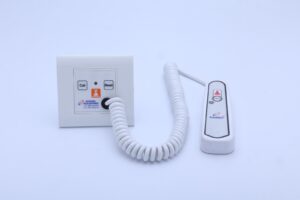
- Intercom systems: Allow communication between entrances, rooms, or buildings.
- Security cameras: Provide video monitoring of selected areas.
- Access control systems: Manage entry through doors, gates, or restricted spaces.
- Network cabling: Connect computers, wireless access points, and other devices.
- Burglar alarms: Detect selected security events and provide alerts.
- Audio systems: Distribute sound throughout homes or commercial spaces.
- Smart home devices: Connect compatible controls, sensors, and automation equipment.
Although these systems perform different functions, they all depend on appropriate equipment selection, wiring, and configuration.
Why Professional Low Voltage Installation Matters
Many electronic devices appear easy to install because the visible equipment is relatively small.
However, dependable performance often depends on work that happens behind walls, above ceilings, or inside equipment cabinets.
Proper Cable Selection
Different devices require different cable types.
A network-connected intercom may use Ethernet cabling, while an older audio intercom may rely on dedicated wiring.
Using the wrong cable can cause connection failures, reduced performance, or equipment compatibility problems.
Reliable Power Delivery
Some devices use separate power supplies. Others support Power over Ethernet, commonly called PoE.
Power requirements must match the equipment.
Improper power connections can cause devices to restart unexpectedly or stop working.
Organized Wiring
Clearly labeled cables and accessible connections make future maintenance easier.
Poorly organized wiring can complicate troubleshooting and increase the time required to locate faults.
Appropriate Equipment Placement
A door station should be positioned where visitors can reach it comfortably.
Security cameras need suitable viewing angles, while wireless equipment requires adequate network coverage.
Good placement affects everyday usability as much as technical performance.
What Is an Intercom System?
An intercom is a communication system that allows people to speak with one another between designated locations.
Traditional intercoms primarily supported two-way audio communication.
Modern systems may also provide video, mobile app connectivity, door release controls, and integration with other building technologies.
Intercoms are commonly installed at residential entrances, apartment buildings, offices, gated properties, and commercial facilities.
Their purpose is straightforward: make it easier to communicate with someone without requiring both people to be in the same place.
Types of Intercom Systems for Homes and Businesses
Different properties require different communication features.
Choosing the right system starts with understanding how each type works.
Audio Intercom Systems
Audio intercoms allow two-way voice communication.
A visitor presses a button at the entrance, and someone inside responds through an indoor station or compatible device.
These systems can be suitable for properties where video monitoring isn’t necessary.
Video Intercom Systems
Video intercoms combine voice communication with a camera.
They allow occupants to see and speak with visitors before deciding whether to grant access.
Depending on the model, video may appear on an indoor monitor, smartphone, or both.
Wireless Intercom Systems
Wireless intercoms transmit communication signals without requiring a dedicated communication cable between every station.
Some operate through Wi-Fi, while others use different wireless technologies.
However, wireless doesn’t necessarily mean wire-free. Many devices still require a power connection.
Performance depends on signal coverage, interference, and the surrounding building environment.
IP Intercom Systems
Internet Protocol, or IP, intercoms communicate through a data network.
These systems may support multiple stations, video communication, remote management, and integration with compatible access control equipment.
They are often considered for commercial buildings and properties with existing network infrastructure.
Multi-Tenant Intercom Systems
Apartment buildings, condominiums, and shared commercial properties may need systems that connect visitors with individual units or offices.
Features can include resident directories, multiple call destinations, and controlled entry.
The appropriate configuration depends on the building’s layout and access requirements.
Wired vs. Wireless Intercom Systems
Both options can work well when selected for the right environment.
| Feature | Wired Intercom | Wireless Intercom |
| Connectivity | Physical cabling | Wi-Fi or another wireless connection |
| Installation | May require cable routing | May require less communication cabling |
| Reliability | Less affected by wireless interference | Depends on signal conditions |
| Power | Dedicated supply or compatible PoE | Battery or wired power, depending on model |
| Best suited for | New construction and permanent installations | Certain retrofits and simpler layouts |
| Maintenance | Cabling and hardware checks | Connectivity, batteries, and hardware checks |
Wired systems can be practical for new construction or major renovations when cable routes are accessible.
Wireless systems may reduce installation disruption in existing buildings.
However, the decision should account for property size, wall construction, available power, and network reliability.
6 Benefits of Installing an Intercom System
A properly selected intercom can improve communication and make visitor management more convenient.
1. Communicate With Visitors Before Opening the Door
An intercom allows occupants to speak with someone at the entrance without immediately opening it.
Video-equipped models may also provide a view of the visitor.
This can be useful for homes, offices, and other properties with controlled entrances.
2. Manage Deliveries More Easily
Delivery drivers often need instructions about where to leave packages or whom to contact.
An intercom provides a direct communication channel, reducing unnecessary trips to the entrance.
3. Support Controlled Access
Some intercoms integrate with compatible electric locks, gate operators, or access control systems.
Authorized users may be able to release a door remotely after verifying the visitor.
These features require appropriate hardware and configuration.
4. Improve Communication Across Buildings
Larger properties may need communication between entrances, reception areas, security stations, and other locations.
A multi-station intercom can reduce the need for staff to travel between areas for routine communication.
5. Add Convenience Through Mobile Access
Certain smart intercom systems allow users to receive calls through a smartphone app.
This may be helpful when occupants aren’t near an indoor monitor.
Remote features typically depend on internet connectivity, device compatibility, and the manufacturer’s service requirements.
6. Connect With Other Security Equipment
Some intercom systems work alongside surveillance cameras, alarms, and access control devices.
Compatibility should be confirmed before purchase because integration capabilities vary by manufacturer.
What Happens During Professional Intercom Installation?
Homeowners and businesses exploring Intercom System Installation Services in Jupiter Fl should understand what a typical installation involves.
Property Assessment
The technician examines the entrances, building layout, existing wiring, and available network connections.
This helps determine where equipment should be installed.
Equipment Selection
The installer discusses features such as audio, video, remote access, and door release capabilities.
The goal is to select equipment that matches the property’s needs rather than adding unnecessary features.
Wiring and Mounting
The technician installs appropriate cables, mounting hardware, power supplies, and communication stations.
Outdoor equipment should be rated for its intended environment.
System Configuration
Network-connected systems may require software setup, user permissions, and mobile device configuration.
Access control integrations may need additional programming.
Testing and Demonstration
The installer tests audio quality, video, connectivity, and any connected entry controls.
Users should receive an explanation of basic operation and maintenance.
Common Intercom Problems and Their Causes
Even well-installed equipment can develop problems over time.
Recognizing common symptoms can make troubleshooting easier.
| Problem | Possible Cause |
| No audio | Speaker, microphone, wiring, or configuration issue |
| Poor video quality | Camera condition, lighting, or connection problem |
| Frequent disconnections | Network instability or damaged connections |
| Door release doesn’t work | Lock, relay, power, or wiring issue |
| Mobile alerts don’t arrive | App permissions, connectivity, or notification settings |
| Outdoor station stops working | Moisture exposure, corrosion, or component failure |
These symptoms don’t identify a definite cause.
A technician may need to inspect both the device and its supporting wiring or network.
How Jupiter’s Coastal Climate Affects Outdoor Electronics
Jupiter’s humid, coastal environment creates additional considerations for outdoor electronic equipment.
Moisture and Humidity
Moisture can affect connectors, enclosures, and electronic components.
Outdoor intercoms should have suitable environmental ratings and be installed according to manufacturer instructions.
Salt Air Exposure
Properties near the coast may experience accelerated corrosion of exposed metal components.
Appropriate materials, protected connections, and routine inspections can help reduce deterioration.
Heavy Rain and Storms
Florida storms can expose outdoor equipment to wind-driven rain and electrical disturbances.
Proper mounting, weather protection, grounding, and surge protection should be considered where appropriate.
Heat and Sunlight
Direct sunlight can increase equipment temperatures and affect display visibility.
Placement and product specifications should account for expected outdoor conditions.
How Much Does Intercom Installation Cost?
Intercom installation costs vary significantly because systems differ in complexity.
A basic audio intercom for a single entrance generally requires less equipment than a video system connecting multiple buildings.
Several factors affect the final estimate.
Number of stations: Additional doors, monitors, and communication points increase equipment and installation requirements.
Wiring conditions: Existing usable cabling may reduce installation work, while concealed cable routing can increase labor.
System features: Video, mobile connectivity, access control, and recording capabilities may affect equipment costs.
Property layout: Large buildings and distant gates may require additional infrastructure.
Integration requirements: Connecting an intercom with locks, cameras, or existing security equipment can add configuration work.
Ongoing services: Some connected systems require subscriptions for selected cloud or remote features.
Request a written quote that separates equipment, installation, and recurring costs.
How to Choose a Low Voltage Installation Company
A qualified technician should understand both the equipment and the building conditions where it will operate.
Before hiring, ask about experience with intercoms, security systems, and network-connected devices.
You should also confirm applicable Florida licensing requirements, insurance, and whether permits are necessary for the project.
Ask the installer to explain the proposed cable routes, equipment compatibility, and testing process.
For property owners seeking a Low Voltage Technician in Jupiter Fl, J P Electronics & Surveillance is a company to contact about electronic security and communication projects.
The business lists intercom installation, security cameras, burglar alarms, home automation, internet installation, and audio systems among its services.
Discuss your location, property requirements, and desired features to confirm service availability and the appropriate installation approach.
How to Maintain Your Intercom and Low Voltage Equipment
Routine maintenance helps identify developing problems before they interfere with everyday use.
Clean camera lenses and displays using manufacturer-approved methods.
Inspect outdoor stations for visible damage, loose mounting hardware, or signs of moisture intrusion.
Keep compatible connected devices updated with manufacturer-supported firmware.
Review user permissions periodically, especially when employees or residents change.
For internet-connected equipment, use strong passwords and appropriate network security settings.
Test audio, video, and door release functions periodically.
If a device repeatedly disconnects or malfunctions, arrange an inspection rather than repeatedly resetting it without investigating the cause.
Frequently Asked Questions
1. Can an intercom system work without internet access?
Yes. Many traditional wired intercoms operate independently of an internet connection. Some IP systems can also support local communication without external internet access. However, remote smartphone features and certain cloud services may require connectivity. Confirm the requirements of the specific model.
2. Can an existing intercom be upgraded without replacing all the wiring?
Sometimes. Existing wiring may be reusable if its type, condition, and configuration meet the new system’s requirements. Other upgrades require new cabling or additional power connections. A technician should inspect the existing installation before recommending equipment.
3. Can an intercom open an electric gate?
Some intercom systems can control compatible gate operators through an appropriate relay or access control interface. The installation must account for electrical compatibility, safety devices, and applicable requirements. An installer should verify that the gate system supports the intended integration.
4. Do intercom systems record conversations or video?
Some video intercoms offer recording features, while others provide live communication only. Recording may require local storage or a subscription. Property owners should review applicable privacy and consent laws before enabling audio or video recording.
5. How long does an intercom installation take?
A straightforward single-entrance installation may be completed relatively quickly, while multi-station systems can require more time for wiring, mounting, configuration, and testing. The timeline depends on the property layout, equipment, and whether existing infrastructure can be reused.
Conclusion
Low voltage systems support many of the technologies that make homes and businesses more connected, convenient, and secure.
Intercoms are an important part of that infrastructure, allowing occupants to communicate with visitors, manage entrances, and coordinate activity across a property.
Choosing the right system requires careful consideration of wiring, connectivity, equipment placement, and ongoing maintenance.
If you’re exploring Intercom System Installation Services in Jupiter Fl, J P Electronics & Surveillance can help you discuss the communication and security features you’re considering.