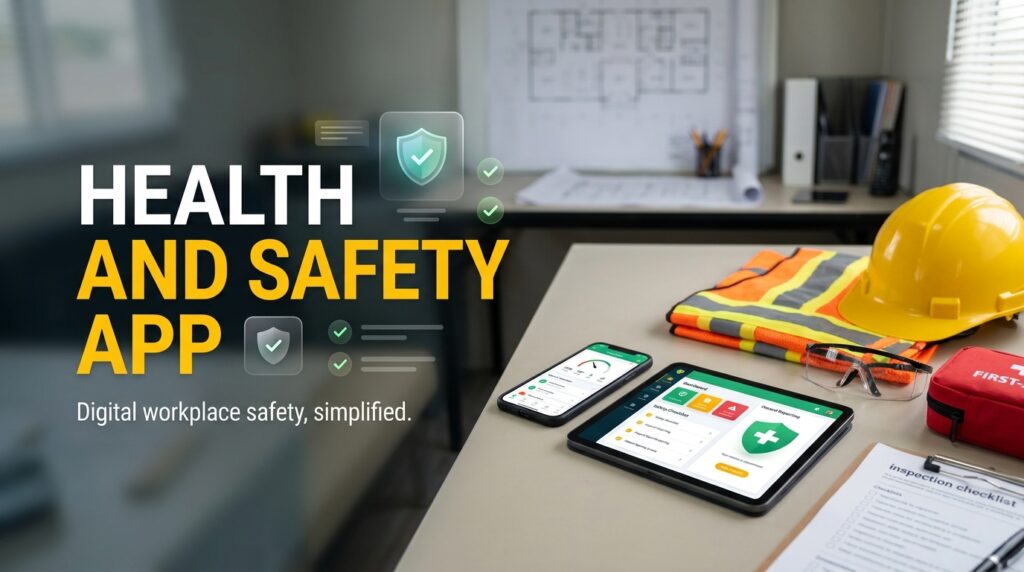
Managing workplace safety requires regular inspections, accurate records, and timely action when hazards are discovered. A Health And Safety App can help businesses manage these activities directly from a mobile device, allowing employees and safety officers to record findings while they are on site. Whether you work in a factory, warehouse, construction project, office, or industrial facility, mobile tools can make it easier to complete inspections, document hazards, assign corrective actions, and maintain safety records without depending entirely on paper forms or spreadsheets.
What Is a Health and Safety App
A health and safety app is a digital tool that helps organizations manage workplace safety activities through smartphones, tablets, or other supported devices.
Depending on the platform, employees may be able to complete inspections, report hazards, record incidents, access safety checklists, and monitor corrective actions.
Common features include
- Digital inspection checklists
- Workplace hazard reporting
- Safety audit records
- Incident reporting
- Risk assessment forms
- Corrective action tracking
- Photographs and supporting evidence
- Inspection schedules
- Safety reports
- Access to relevant safety documents
These features can help employees record information at the location where the work takes place.
For example, if a safety officer discovers damaged equipment during a factory inspection, they can document the issue on a mobile device and send it to the responsible team for review.
Why Mobile Inspections and Audits Matter
Traditional inspections often involve printed forms, handwritten notes, and photographs stored separately on a phone or camera.
After the inspection, someone may need to transfer the information into a spreadsheet or prepare a report manually. This creates extra administrative work and can delay corrective action.
Mobile inspections and audits allow employees to complete many of these steps in one place.
An inspector can follow a digital checklist, add observations, attach photographs, and record the location of a finding. The information can then be submitted through the app for review, depending on the system’s capabilities.
This approach can help organizations maintain more consistent records and make inspection findings available to the right people sooner.
How a Workplace Safety App Supports Daily Work
A workplace safety app can help employees manage safety responsibilities without returning to an office computer every time they need to record a finding.
For example, a warehouse supervisor may notice that an emergency exit is blocked by stored materials. The supervisor can record the observation, attach a photograph, and report the issue through the app.
The responsible team can then review the report and take appropriate action.
The app may also allow managers to check the status of open findings and identify issues that have not been resolved.
This creates a more direct connection between identifying a problem and managing the response.
Safety Inspection App for Digital Checklists
A safety inspection app can replace or supplement printed checklists with digital forms.
Businesses can create checklists according to their workplace conditions, equipment, and inspection requirements.
For example, a warehouse checklist may cover storage arrangements, forklift routes, emergency exits, fire equipment, and housekeeping. A manufacturing checklist may focus on machine guards, electrical equipment, protective devices, and maintenance conditions.
During an inspection, employees can mark each item, add notes, and record any problems they find.
Digital checklists can also help organizations standardize inspections across departments or locations. However, the checklist must still reflect the actual hazards and requirements of the workplace.
Safety Audit Software for Better Record Keeping
Safety audits help organizations review whether their safety procedures are being followed and whether existing controls are appropriate.
Safety audit software can help businesses organize audit schedules, checklists, findings, evidence, and follow up actions.
For example, an internal audit may identify missing training records or inconsistent inspection practices at a particular site. The findings can be documented and assigned to the relevant department.
Managers can then monitor the actions required to address those gaps.
Keeping audit information in a centralized system can also make it easier to compare results across different audit periods and identify recurring issues.
Health and Safety Software for Corrective Actions
Recording a hazard is only the first step. The organization must also decide how to address it.
Health and safety software can help connect inspection findings with corrective actions, responsible employees, due dates, and completion records.
Suppose an inspection identifies a damaged handrail on a staircase. The issue may need to be assigned to the maintenance team, with a suitable priority and completion deadline.
Once the repair is completed, the responsible person can update the record and provide supporting evidence if required.
The safety team can then verify that the issue has been addressed.
This process makes it easier to track unresolved problems and identify actions that require additional attention.
Mobile Safety Management Across Multiple Locations
Businesses operating across several sites may find it difficult to maintain consistent safety records.
One location might use paper checklists, another might maintain spreadsheets, and a third might submit reports through email.
Mobile safety management can help bring these activities into a more consistent process.
Depending on the platform, authorized employees may be able to access the same inspection templates, reporting procedures, and corrective action workflows across multiple locations.
Managers can then review information from different sites through a shared system.
For example, a company with several warehouses may compare inspection findings to identify recurring housekeeping problems or differences in how safety procedures are followed.
Businesses should check whether their chosen app supports multiple locations, suitable access permissions, and the reporting features they need.
Hazard Reporting App for Employees
Employees often notice hazards before they become visible to managers or safety officers.
A hazard reporting app gives workers a structured way to report unsafe conditions while carrying out their normal duties.
Reports may cover issues such as
- Wet or slippery floors
- Damaged machinery
- Exposed electrical wiring
- Missing protective equipment
- Blocked emergency routes
- Unsafe storage arrangements
- Chemical spills
- Poor lighting
- Potential environmental hazards
An app may allow employees to add descriptions and photographs so the safety team has more context when reviewing a report.
Businesses should make the reporting process simple and encourage employees to raise concerns without fear of unfair treatment.
The purpose is to identify and control risks, not to discourage workers from reporting problems.
Workplace Inspection Software for Consistent Processes
Workplace inspection software can help organizations schedule inspections, assign inspectors, standardize checklists, and maintain historical records.
For example, a business may need daily equipment checks, weekly housekeeping inspections, and monthly reviews of selected safety controls.
A digital platform can help organize these activities and show which inspections are due or overdue.
It can also provide a record of previous findings, making it easier for inspectors to see whether an issue has appeared before.
This history can be useful when deciding whether a problem requires a one time correction or a broader change to workplace procedures.
Safety Compliance App for Documentation
Businesses may need to maintain records of inspections, training, incidents, audits, and corrective actions to support their internal safety processes and applicable legal requirements.
A safety compliance app can help authorized employees access and update these records through digital workflows.
For example, a safety manager preparing for an internal review may need to find inspection results, evidence of corrective actions, or records showing that required checks were completed.
A centralized system can make these documents easier to retrieve.
However, using an app does not automatically make a business compliant. Organizations must understand the requirements that apply to their operations and make sure their safety procedures are followed in practice.
Benefits of Using a Health And Safety App
A properly implemented app can provide several practical benefits.
Faster Record Keeping
Employees can record findings directly from the workplace instead of transferring handwritten notes later.
Better Access to Information
Authorized users can review inspection results, hazard reports, and action statuses from supported devices.
More Consistent Inspections
Standardized digital checklists can help employees follow the same inspection process.
Clearer Accountability
Corrective actions can be assigned to responsible individuals and tracked through completion.
Improved Communication
Inspection findings can reach the appropriate team without relying entirely on separate emails or paper documents.
Easier Historical Reviews
Digital records help safety teams examine previous findings and identify recurring hazards.
These benefits depend on how the app is configured and whether employees use it consistently.
Choosing the Right Health And Safety App
Not every organization needs the same features. Before selecting an app, consider your workplace hazards, number of employees, number of locations, and existing safety procedures.
Useful capabilities may include
- Custom inspection checklists
- Mobile hazard reporting
- Safety audit management
- Incident reporting
- Corrective action tracking
- Photographs and attachments
- Inspection scheduling
- Reporting dashboards
- User permissions
- Integration with existing systems
- Offline access where required
Offline functionality may be particularly important for construction sites, remote facilities, or workplaces with unreliable internet connections.
You should also check how the app protects sensitive information, how records can be exported, and whether the provider offers suitable support and training.
Most importantly, choose a solution that employees can use without unnecessary complexity.
Final Thoughts on Mobile Inspections and Audits
A Health And Safety App can help businesses manage workplace inspections, safety audits, hazard reporting, and corrective actions through a more organized mobile process.
With features such as a safety inspection app, hazard reporting app, and workplace inspection software, employees can record findings at the source and give safety teams better access to relevant information.
The real value comes from what happens after a report is submitted. Hazards must be assessed, corrective actions must be completed, and important findings should lead to improvements in workplace procedures.
Mobile technology cannot replace trained safety professionals, effective risk controls, or employee participation. It can, however, make safety information easier to record, share, and review.
For businesses that want to improve mobile inspections and audits, the best starting point is to identify where existing processes create delays, choose an app that fits actual workplace needs, and make sure everyone understands how to use it.